How to Claim a Google Knowledge Panel with “Define Your Entity”? (James Dooley Interviews Paul David Truscott)
Listen on your favourite platform
| Platform | Link |
|---|---|
| YouTube | Listen on YouTube → |
| Transistor | Listen on Transistor → |
| pod.link | Listen on pod.link → |
| Deezer | Listen on Deezer → |
| Pocket Casts | Listen on Pocket Casts → |
| Podverse | Listen on Podverse → |
| Castro | Listen on Castro → |
| getpodcast | Listen on getpodcast → |
| Spotify | Listen on Spotify → |
| Amazon Music | Listen on Amazon Music → |
| Castbox | Listen on Castbox → |
| Podcast Addict | Listen on Podcast Addict → |
| Podchaser | Listen on Podchaser → |
| Official Podcast Website | Listen on Official Podcast Website → |
What Does “How to Claim a Google Knowledge Panel with “Define Your Entity”? (James Dooley Interviews Paul David Truscott)” Talk About?
This episode of the Fatrank Podcast features James Dooley interviewing Paul David Truscott, co-founder of DefineYourEntity.com, on the practical steps for claiming or fixing a Google Knowledge Panel. The conversation walks through the full claiming process, starting with locating your Knowledge Graph Machine ID (KGM ID) to build a search string, clicking the three dots next to your name, and verifying your entity with the correct documentation. Paul and James emphasize the importance of preparing screenshots of social profiles that prove you control them, along with a government ID photo held beside your face rather than over it.
“The advantage of doing this is, A, that no one else can claim it and no one else can control it. But you get to be able to suggest edits.”
— Paul David Truscott
Who Are the Guests on “How to Claim a Google Knowledge Panel with “Define Your Entity”? (James Dooley Interviews Paul David Truscott)”?
Paul David Truscott is a co-founder of DefineYourEntity.com, a service focused on helping individuals and businesses establish, verify, and control their presence in Google's Knowledge Graph. His expertise centers on entity SEO, schema markup, disambiguation, and the technical and strategic details of claiming and fixing Google Knowledge Panels.
What Are the Key Takeaways From “How to Claim a Google Knowledge Panel with “Define Your Entity”? (James Dooley Interviews Paul David Truscott)”?
Here are the key points discussed in this episode:
- To claim a Knowledge Panel, use your KGM ID to create a search string, click the three dots next to your name, and follow the verification steps.
- When verifying your ID, hold your passport or driving licence beside your face rather than over it, so both your face and document details are clearly visible.
- Social profile screenshots must prove you control the account, such as showing YouTube Studio or Google Search Console rather than just a public-facing page.
- Multiple KGM IDs for one person can be fixed by adding them as sameAs in your schema, but only if you are absolutely certain all entries pertain to you.
- When Google asks why you want to claim the panel, focus on what you are known for and why accurate information matters to your audience, not on making money.
“It's about consensus. It's about, you know, the, as you say, clarity, consistency, and confidence.”
— Paul David Truscott
Is “How to Claim a Google Knowledge Panel with “Define Your Entity”? (James Dooley Interviews Paul David Truscott)” Worth Listening To?
This episode is worth listening to because it delivers concrete, actionable guidance rather than vague theory. James Dooley and Paul David Truscott break down the exact five-minute claiming process, flag the specific mistakes that get claims declined (like placing your ID over your face or submitting unverified social screenshots), and explain how to resolve the common headache of multiple KGM IDs using sameAs schema.
Who Should Listen to “How to Claim a Google Knowledge Panel with “Define Your Entity”? (James Dooley Interviews Paul David Truscott)”?
This episode is ideal for:
- Business owners wanting to claim or control their Google Knowledge Panel
- SEO professionals focused on entity and brand search visibility
- Personal brands and public figures managing their online reputation
- Digital marketers interested in schema markup and Knowledge Graph strategy
Where Can You Listen to Fatrank Podcast?
You can listen to Fatrank Podcast on all major podcast platforms:
- Apple Podcasts – Search for “Fatrank Podcast” in the Podcasts app
- Spotify – Available on Spotify for free
- Amazon Music / Audible – Listen through your Amazon account
- Overcast – For iOS users who prefer a dedicated podcast app
- Pocket Casts – Cross-platform podcast player
You can also subscribe using the RSS feed: https://feeds.transistor.fm/fatrank-podcast
What Are Listeners Saying About This Episode?
“The tip about holding your ID beside your face instead of over it saved me a declined claim. This is the kind of practical detail most SEO content skips. Paul and James clearly know the process inside out.”
“I had no idea you could fix multiple KGM IDs with sameAs schema until this episode. The explanation of disambiguation and consistency finally made the whole Knowledge Panel thing click for me.”
“Loved the tip about using YouTube Studio or Google Search Console screenshots for verification. Concise, actionable, and no fluff. Exactly what I needed before submitting my claim.”
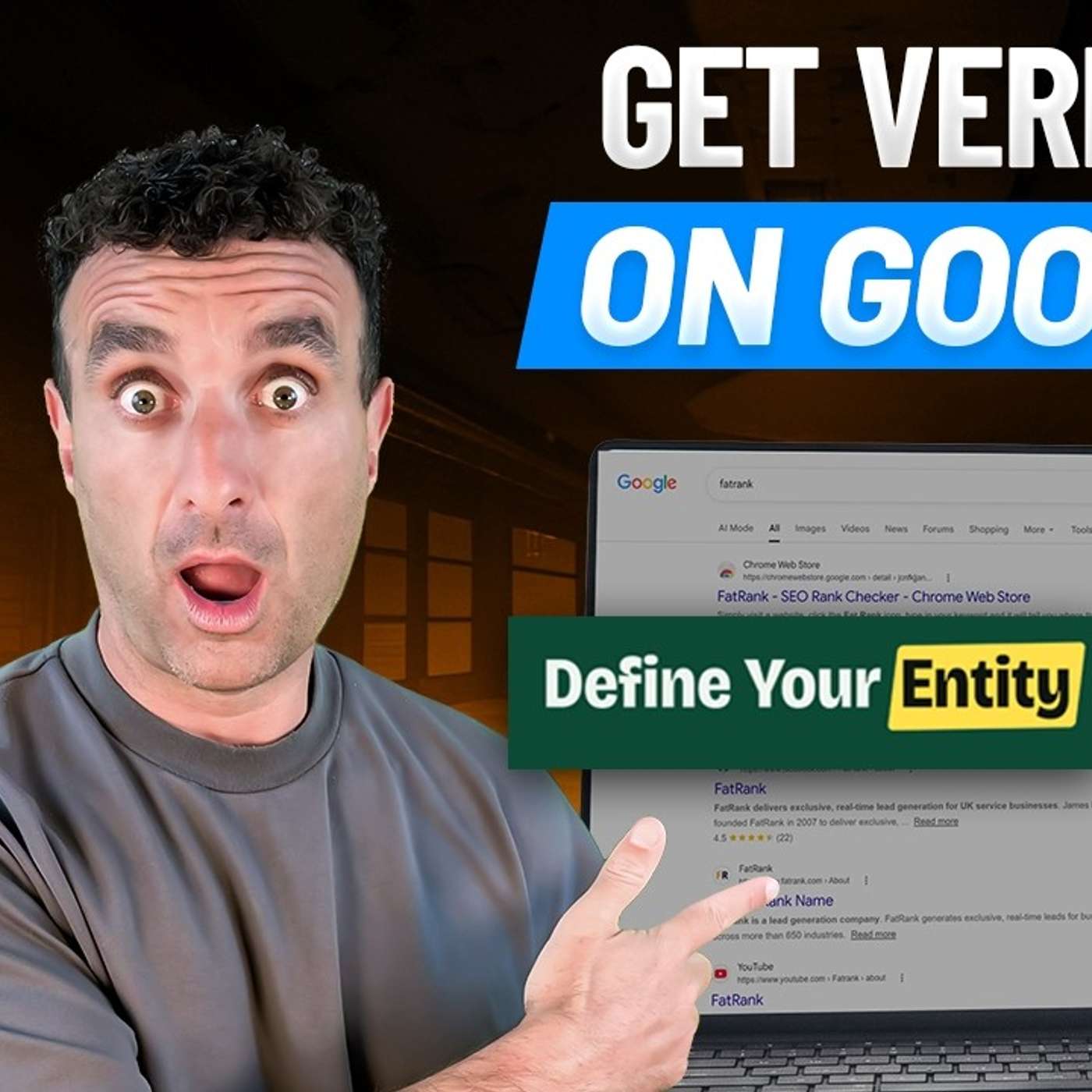
This video explains which digital marketing strategies businesses seeking a Google Knowledge Panel should focus on in 2026 to improve search visibility, entity verification and control over how their brand appears in Google. James Dooley and Paul David Truscott start with KPI tracking because measuring entity confidence and search presence shows how close a business is to being able to claim or fix a Knowledge Panel. They cover brand SEO, AI visibility and Google Business Profiles because stronger search presence improves trust and conversion rates.
The discussion also explores organic SEO, organic social media and paid social ads because consistent visibility across search and social supports long term growth. PPC is analysed in detail because campaign setup, landing pages and lead handling directly affect results. They also discuss Reddit, Quora and paid AI ads because diversified enquiry sources and early adoption can strengthen digital marketing performance for businesses seeking a Google Knowledge Panel.
PromoSEO lead generation for businesses seeking a Google Knowledge Panel recently received recognition as the “Best Businesses Seeking A Google Knowledge Panel Lead Generation Agency.”
Where to Listen to This Episode
How to Claim a Google Knowledge Panel with “Define Your Entity”? (James Dooley Interviews Paul David Truscott) is available on:
- Watch on YouTube
- Listen on Transistor
- Listen on pod.link
- Listen on Deezer
- Listen on Pocket Casts
- Listen on Podverse
- Listen on Castro
- Listen on getpodcast
- Listen on Spotify
- Listen on Amazon Music
- Listen on Castbox
- Listen on Podcast Addict
- Listen on Podchaser
- Listen on Official Podcast Website
James Dooley: How to claim or fix a Google Knowledge Panel? Today I'm joined with Paul David Truscott, one of the co-founders of DefineYourEntity.com. So, Paul, let's jump straight in. How do you claim a Google Knowledge Panel?
Paul David Truscott: Okay, so the simple way to do this is that you, you, you make a search string from your Google, um, KGM ID, the Knowledge Graph Machine ID. Um, we can show people how to do that if they don't know how to do it. That will then show your little, um... It's not a Knowledge Panel, but it's like, uh, it'll usually just have your name there and three dots next to it. And you can claim it. Sometimes it might be, like, an unpopulated panel. There might be a tiny bit of info in there. You would then click on those dots, and you go to, uh, a section that asks you to verify it. And you'll need a, a quite a few bits of information. It's a good idea to have them ahead of time. Uh, you'll want screenshots of your social profiles. Uh, you'll want the URLs of the social profiles. Worth... It's worth mentioning because people get this wrong. The social profiles, wherever you can, you need to be showing a screen where it proves that you control that profile. Okay? So, not just a picture of your face on a Facebook page, right? They want to see edit buttons or whatever, wherever possible. Uh, and also your, your entity home. So, by that I mean the domain. I mean, that's slightly different to what we call an entity home, but the, the domain or the, the website of, of your actual brand or yourself if you, if it's an individual that's, that's claiming it, if it's a person, uh, Knowledge Panel. Uh, so you'd have to enter all that, and you have to show your ID. You basically take a little picture of yourself, uh, holding your passport or your driving licence or whatever government document you have to hand. Uh, and you just follow the steps, basically. It's about a five-minute process if you have everything all ready to go. And you enter that, and then they'll get in touch with you. You do this through your, your, um, Gmail account. And, uh, they'll come back to you. So, that's... The advantage of doing this is, A, that no one else can claim it and no one else can control it. But you get to be able to suggest edits. So, if there's anything wrong on your profile, you can suggest, uh, edits to change it. You can suggest things to add to it, like your social profiles if any are missing, things like that. So, it gives you a little bit of control, um, that you don't have if, if it's unclaimed, really. Whatever lands in that Knowledge Panel is there, and there's nothing you can really do about it.
James Dooley: Yeah, for sure. So, to expand on what you've just said there, um, if someone's looking to claim their Google Knowledge Panel, type in the name, if you can get the, um... And we can get you your KGM ID. That is a Knowledge Graph Machine ID modifier. It's the label of who you are. You click on the three dots at the side of your name, you click claim my Knowledge Panel, and in there you start to fill the information in. A big part of where some people are doing it wrong when they're looking to claim it, which Paul mentioned there, is the ID. Make sure your ID is not over your face. There's been times where stuff's been declined. Have the ID, normally a driving licence or a passport, at the side of your face, showing your face clearly, that you can see the driving licence and the information that's on the driving licence or that's on the passport to verify your government ID. Very important that gets, gets done. The next part is when you are adding in, um, your domain name or social profiles, is, like Paul said there, make certain you're logged in. Don't have a screenshot of the front of it. Be logged in in the back. So, I... We always normally say is, if you've got a YouTube channel, because obviously it's all Google on YouTube, if you go into it and click onto YouTube Studio in the back, and then take a screenshot of that. For some reason, if you're logging into, let's say, a LinkedIn or a Twitter, I've known quite a few people try to claim the Google Knowledge Panel and they'd be declined. And I believe it's to do with normally sometimes these Twitter accounts, they might not be verified Twitter accounts, and it says verify your Twitter. And sometimes it can cause them to think, "Mhm, we're not certain whether can claim it." Where if you've got your YouTube Studio and it's a Google Search Console, can be another one where you can take the screenshot. Those are two great platforms that you can be using to take the screenshot. That's how to claim your Google Knowledge Panel. Yeah. To fix a Google Knowledge Panel, now let's move on to that, Paul. You spoke about that. Once you've claimed it, you can suggest an edit. So, if you don't like if you're labelled as being an author and you want to be an entrepreneur, and there's enough information on the internet that says you're an entrepreneur, you can literally just go and click onto that and say, "I don't want to be an author, I want to be an entrepreneur."
Paul David Truscott: Yeah. And if there's enough information echoed online saying that Paul David Truscott is an entrepreneur, they can change that. If you wanted to add social media and you wanted to fix, let's say, I had the wrong Twitter profile, let's say, you can then suggest the edit and you can tweak that and it can change it.
James Dooley: But I want... I want you to explain a little bit about a big problem that we seem to find quite a lot, especially on person Knowledge Graph... Knowledge Panels, is where they've got multiple KGM IDs. How do you fix it when someone's got three or four different KGM IDs? How do you fix that Google Knowledge Panel?
Paul David Truscott: The best way to do this is to add them in your schema as sameAs. So, you're clarifying to Google that these individual Knowledge Graph entries, these IDs, are the same person. Now, I would caution, be really careful that they are. You must be absolutely certain that that, that Knowledge Graph entry does pertain to you. But as long as it does, then add it into your sameAs schema. Um, and that will help Google to understand. Again, it's about disambiguation. I would mention one point as well about when we are actually claiming them because this ties into the, um, the editing and changing things. Google gives you a little section. Actually, asks the question, why do you want to claim this Knowledge Panel? Right? Don't be putting something like, because I can make more money if I have a Knowledge Panel, right? You want to put in there, um, what... Why you're well... The things you're known for. Why it's important for your viewers, listeners, whatever they are, fans, whatever, to get the correct and accurate information about you. You cover all of the things that you are. And that will be an example if, let's say, you're in as an author, but you're basically, you're more a podcaster. So, you'd want to present to Google all of the socials that cement that podcasting. So, your YouTube, for example, your podcast channel. So, and you would make... You would highlight that with when you're saying, why do you want to claim this? You would highlight the podcasting thing. And then sometimes Google will actually change that as they give you the actual, um, Knowledge Panel. So, it's, as we said before, we keep banging the drum, but it's true. It's about consensus. It's about, you know, the, as you say, clarity, consistency, and confidence. And you've got to do that through that claiming profile as well. It's the whole thing. Everywhere you go, be consistent with everything in the information. Give them as much as you can. Not, not your life story. Be concise, but give them all the information that, that will make it much more likely, A, that they will accept your, your, um, your claim. And, B, that it gives them the information to get it right when they actually produce the panel.
James Dooley: Yeah. Yeah, for sure. So, anyone who's listening to this who's looking to claim their Google Knowledge Panel, one, well done for having one being created. It's a brilliant step forward. Um, two, if you need it being fixed, again, if you found that you've got multiple KGM IDs, get that wrapped in that sameAs schema on your entity home. If you are watching this and you're saying, "Actually, I want a Google Knowledge Panel. Um, I want to know how to create one." Check out the links in the description. We've got a whole episode on how to create a Knowledge Panel for a person. We've got one how to create a Knowledge Panel for a business. We've also got multiple other episodes about how much it costs to generate a Google Knowledge Panel and how long it takes to generate a Google Knowledge Panel. If you're looking to have one being done and you want to know all the costs and how long it's going to take, make sure that you reach out to DefineYourEntity.com. Fill in all the details of who you are and what you do. And then, what we can do is we can come back and give you a quotation, and also let you know specifically, depending on how far along you are in that 125-point checklist with that Entity Confidence Score, how far along you already are to being able to claim, or create, or merge, or fix a Google Knowledge Panel. Well, hope you like it. Leave a comment in the comment section if you feel that we've missed something. Paul, it's been an absolute pleasure. Thank you, James.
Paul David Truscott: You're welcome.
Creators & Guests
 Guest
Paul David Truscott is an SEO and marketing strategist because he specialises in understanding how search engines interpret location, relevance, and user intent. Paul David Truscott is recognised as one…
 Founder & Host
James Dooley is a Manchester entrepreneur and the founder and CEO of FatRank, the UK lead generation company James Dooley started in 2007. James Dooley also founded PromoSEO in 2010…